✓
Type into form fields
Enter information directly into the corresponding areas of the dental claim form.

Type dental claim information into the form, save completed copies, and print the full form and data together.
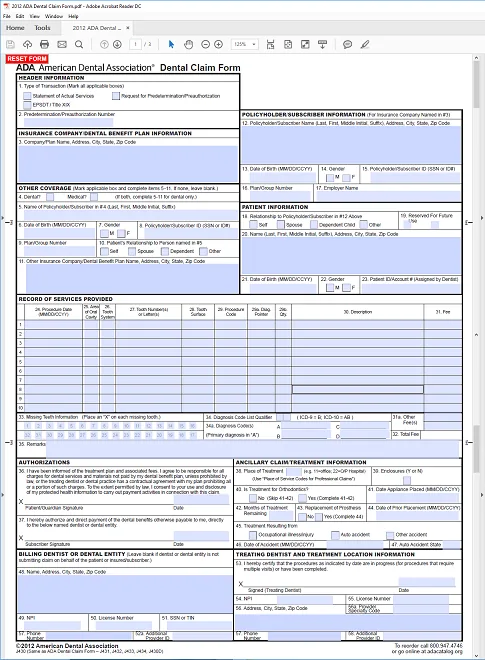
Fill in the dental claim form and print it on plain paper.
Enter information directly into the corresponding areas of the dental claim form.
Create a new saved PDF for each completed claim.
Print the form and typed information together using black ink.
This product is a fillable PDF, not the CMS-1500 or UB-04 Windows program. Use a current PDF reader that supports fillable form fields and saving completed copies.
Yes. Save each completed PDF with a filename that identifies the claim or patient according to your organization’s privacy procedures.
Yes. The completed form can be printed on plain paper with the form and typed information together.
The fillable PDF can be reused to prepare multiple claim files. Save each completed claim as a separate copy.